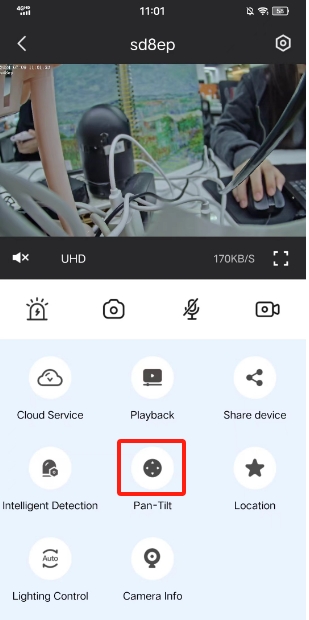
Step1:Please login the PT camera on Foscam app and tap on Pan-Tilt icon.
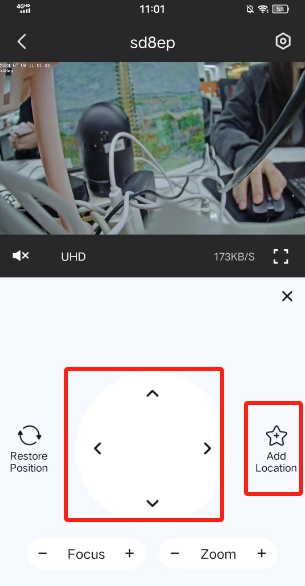
Step2: Move the camera to the location you like. Tap on the Add Location option.
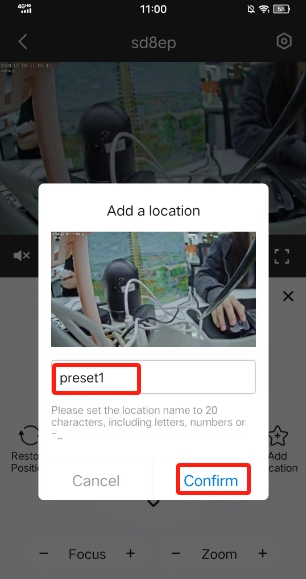
Step3: Set a name for the location then click confirm button
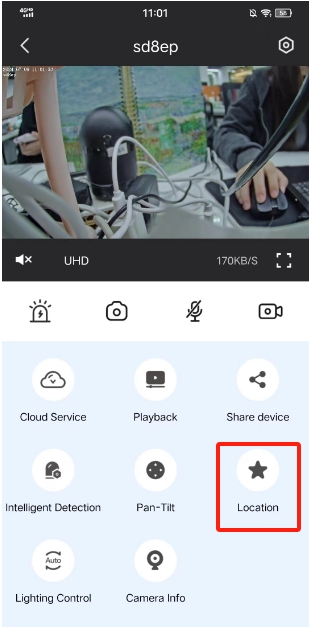
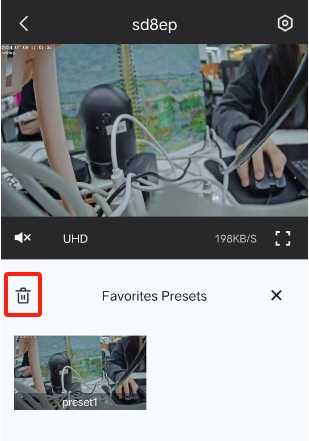
Step 4: After that please go back to live page, Tap on Location icon and find the Favorites Presets. Then you can choose that added location and the camera will move to it automatically.
Step5: If you want to delete it, please choose the left top delete button.
Was this article helpful?
Contact information
Full name *
Email *
Telephone number
Camera model
Help Topic *
Ticket Details
Please describe your problem as detailed as possible so that we can assist you in the best possible way
Title *
Submit